AI Apps by Zayera Khan
Working apps I built with Lovable. Try them.
I built these apps with Lovable. I wanted to learn how I can use AI tools to build new apps, products and services.
Each app is a working version. Each one is in ongoing concept development and refinement. You can try all of them. Pick one below.
Solsökaren: find the sun in Sweden
Working version · ongoing concept development and refinement
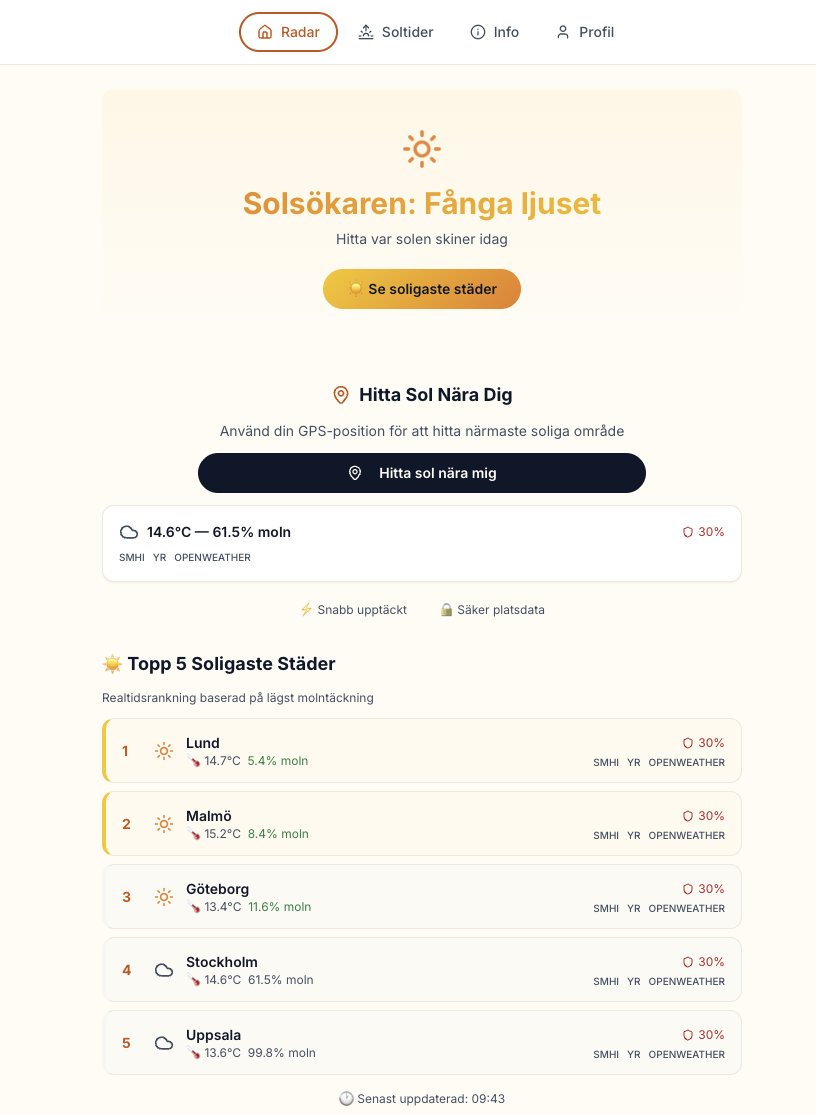
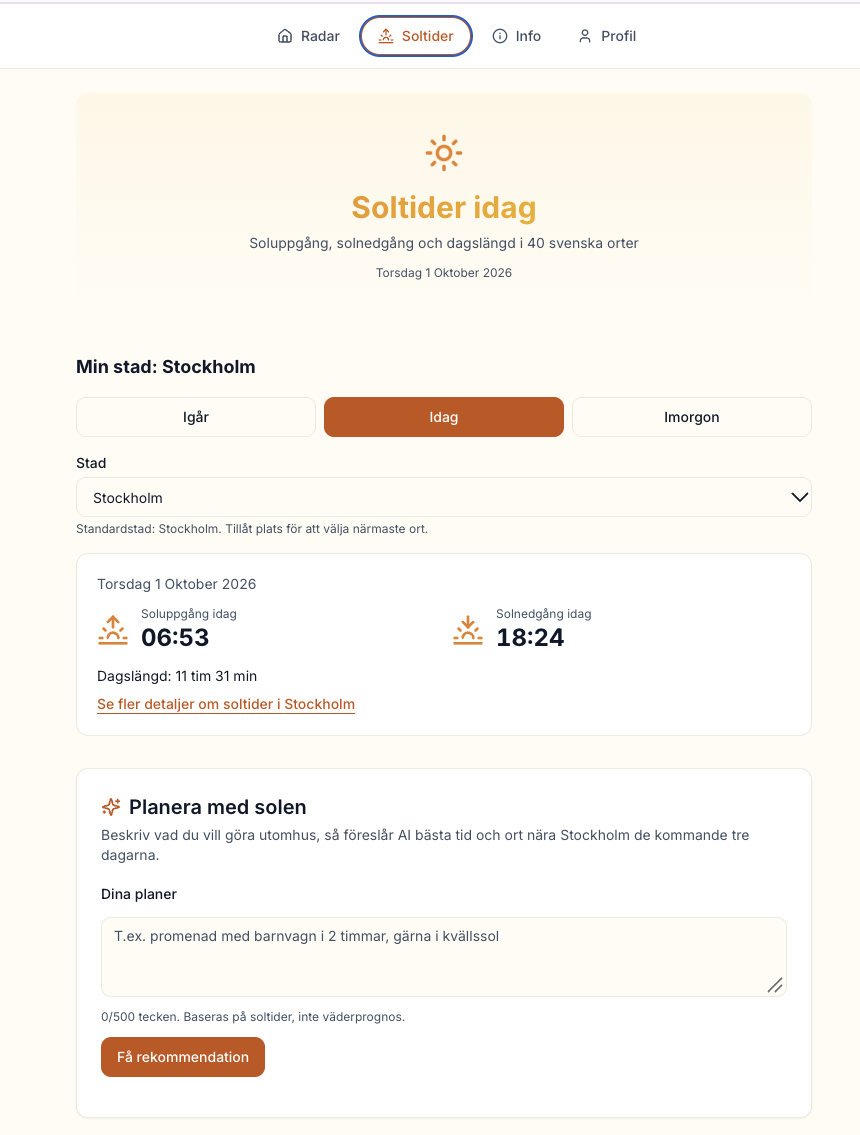
Solsökaren shows where the sun shines in Sweden right now. It uses cloud cover data to rank Swedish cities. It also gives sun times for 40 places.
Features
- A top five list of the sunniest cities, based on the lowest cloud cover.
- Sunrise, sunset and day length for 40 places in Sweden.
- A box that helps you plan time outdoors.
- Reports from users about sunny places.
How to use it
- Open the start screen and look at the radar list.
- Pick a city to see its sun times.
- Plan your picnic, balcony time or photo walk around the sun times.
OnTrack: a smart railway companion
Working version · ongoing concept development and refinement
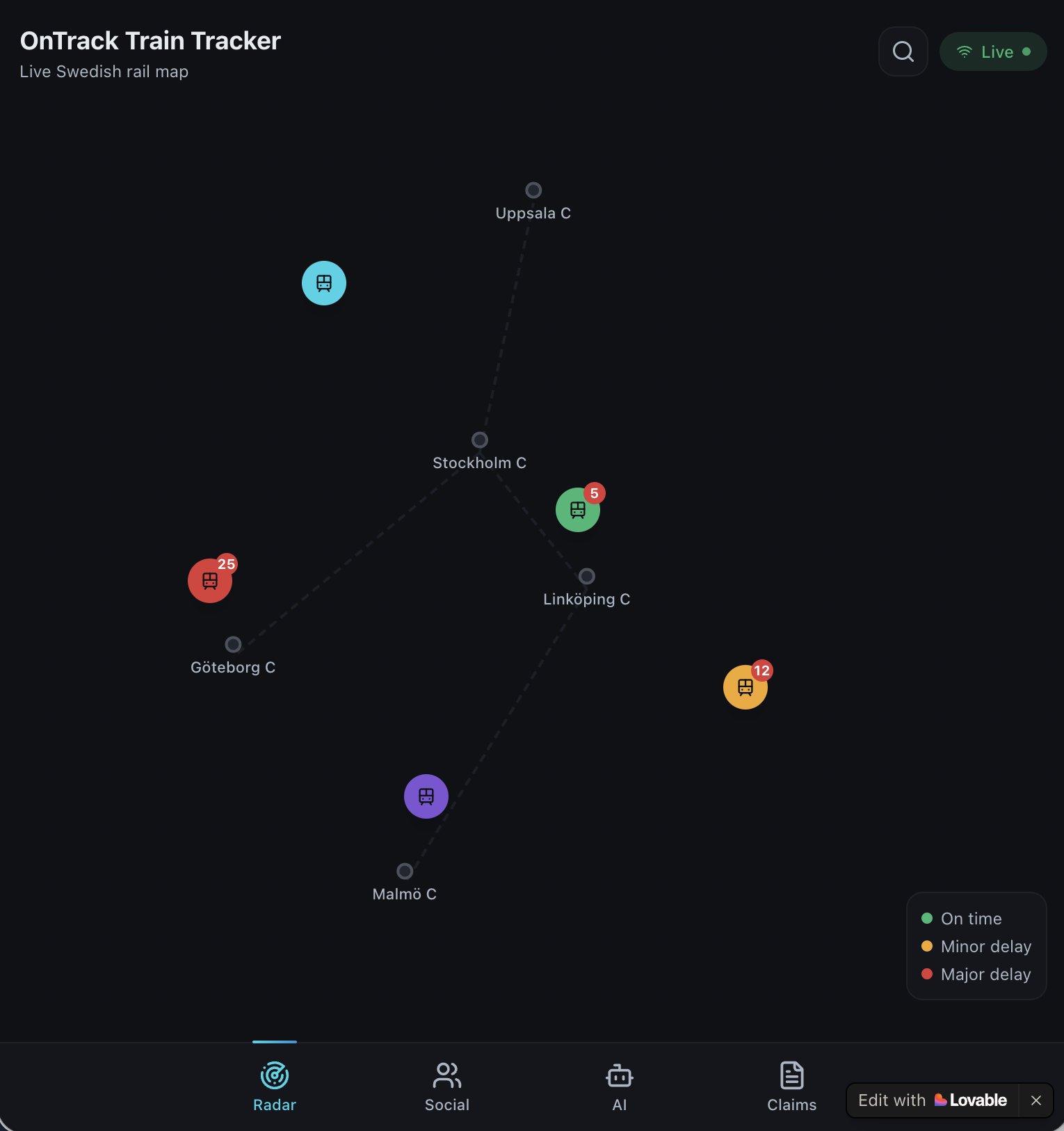
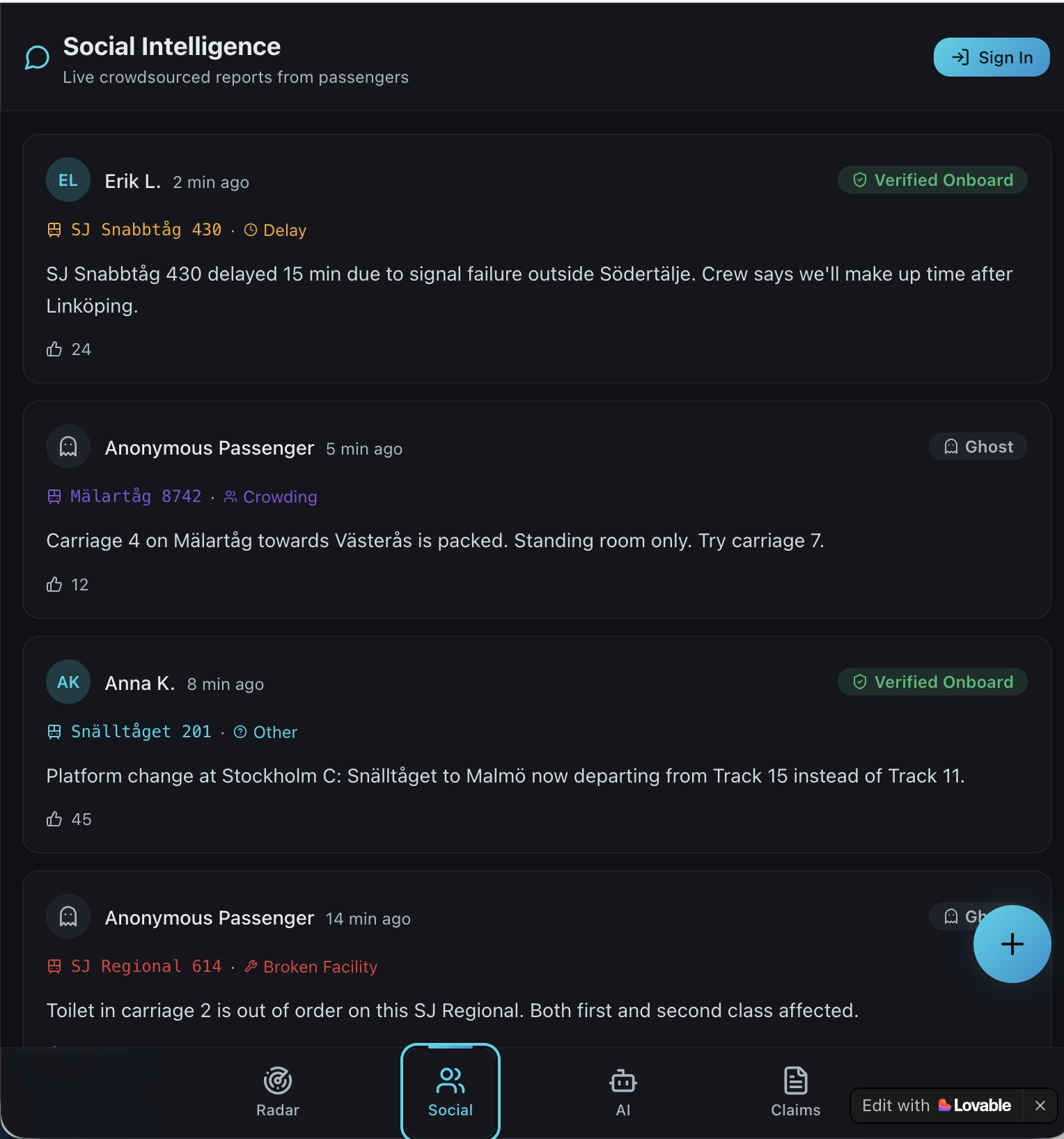
OnTrack shows live train tracking, updates from passengers and passenger rights in one app. Test users use the app live.
Features
- Radar: a Swedish rail map. Colors show on time, minor delay and major delay.
- Social: passengers post reports about delays, crowding, platform changes and broken facilities.
- Passenger rights: built-in information for when your train is late.
- A dark screen design for use on a phone.
How to use it
- Open Radar to see the trains by delay level.
- Open Social to read the latest reports from passengers.
- Add your own report when you see a problem on your train.
Löftesgranskaren: check political promises
Working version · ongoing concept development and refinement
This app is in Swedish.
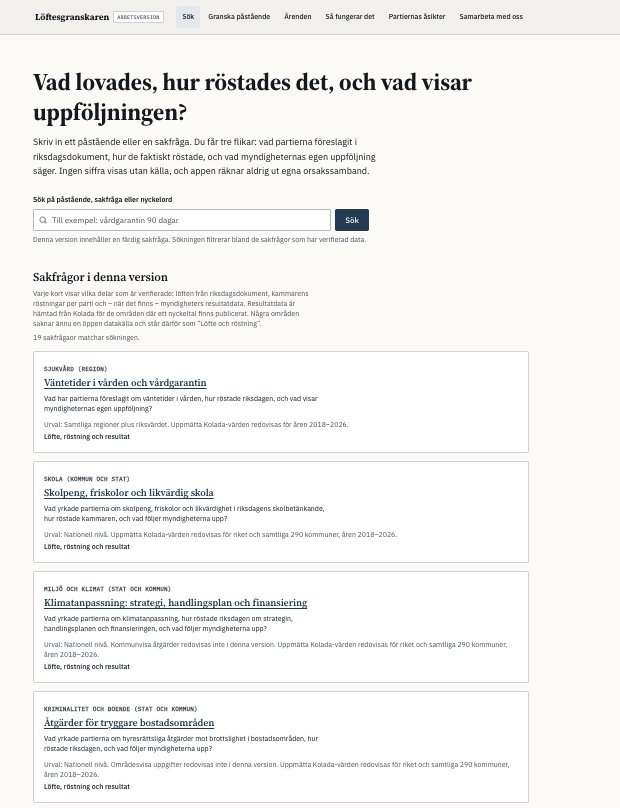
Löftesgranskaren is an independent open-data project. You type a policy question or a political claim. The app shows what the parties proposed, how parliament voted and what the follow-up data says.
Features
- 19 issues, such as healthcare waiting times and school funding.
- Three views for each issue: party proposals, votes and results.
- Every figure comes with a source. The app does not calculate cause and effect.
- Data from Riksdagens öppna data, Riksrevisionen and Kolada.
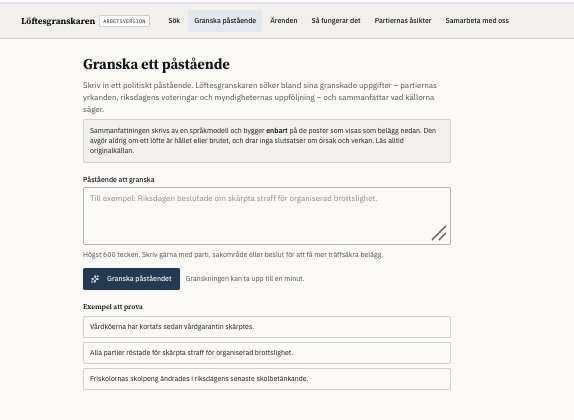
- A page to check a claim of up to 600 characters. Three example claims help you start.
How to use it
- Search for an issue, or pick one from the list.
- Read the promise, the votes and the result. Open the sources.
- Use the claim page when you want to check a statement you heard.
Questions or feedback? Write to zayera@proton.me.
Mjuk Landning: fall prevention and home safety
Working version · ongoing concept development and refinement
This app is in Swedish. It also has an English option.
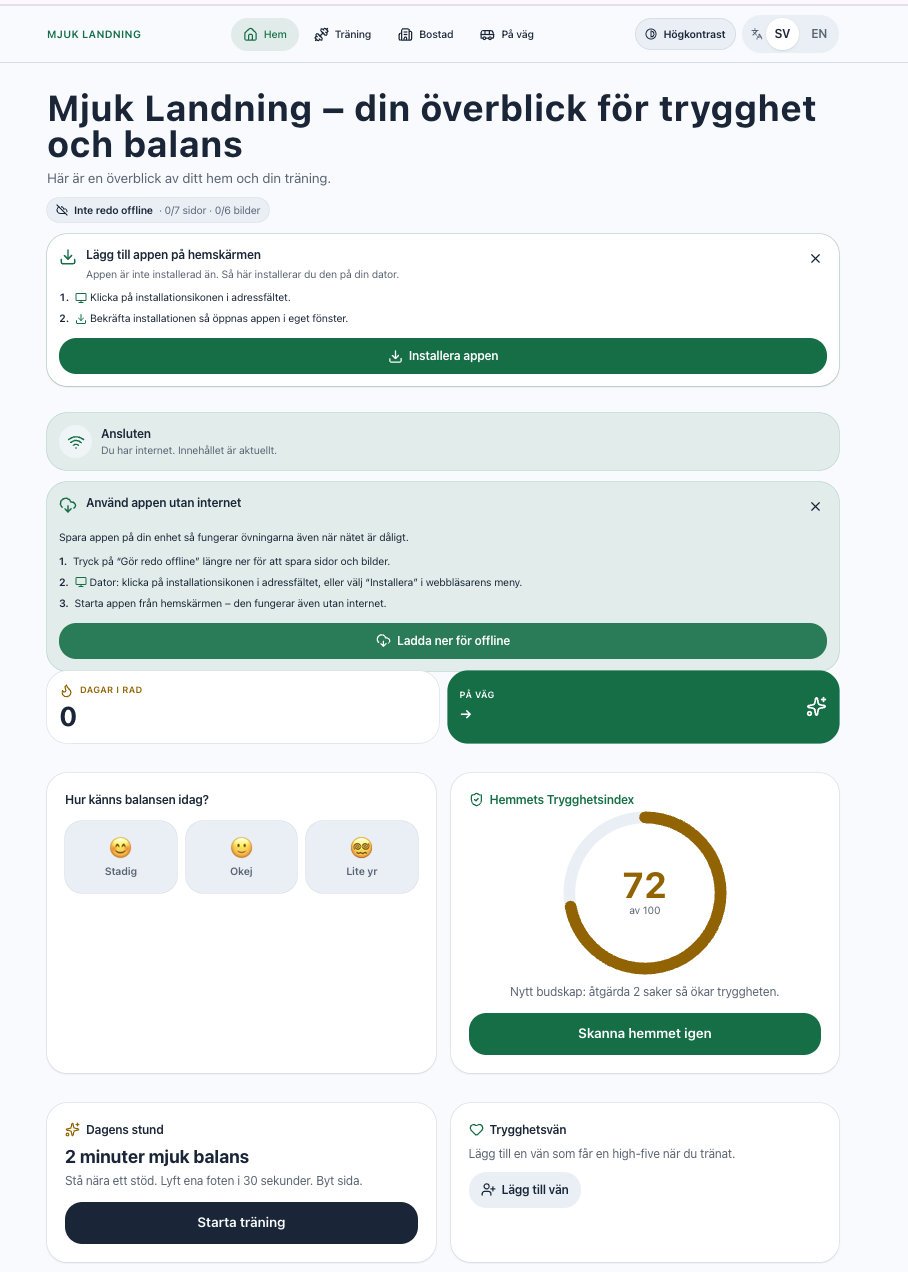
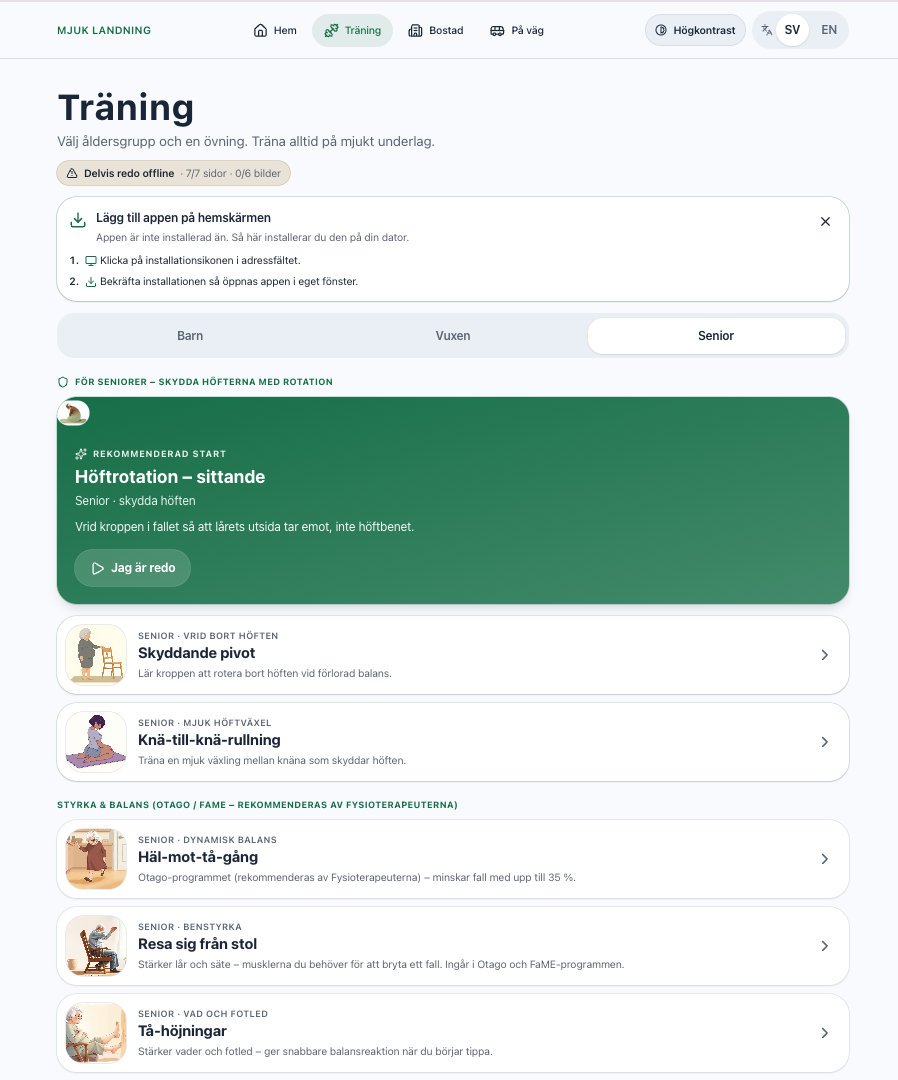
Mjuk Landning helps you train balance and learn fall techniques. It also helps you check how safe your home is. The app is for all ages.
Features
- A home safety index from 0 to 100, with advice.
- A daily balance check-in: steady, okay or dizzy.
- A two-minute exercise each day, and a count of training days in a row.
- A training page for seniors, with exercises such as sitting hip rotation, protective pivot and chair stand.
- A “Trygghetsvän” (safety friend) feature.
- Offline training and a high contrast mode.
How to use it
- Do the balance check-in each day on the home screen.
- Do the daily exercise. Always exercise on a soft floor.
- Check your home and read the advice to raise your safety index.
WanderBeacon: share your location without internet
Working version · ongoing concept development and refinement
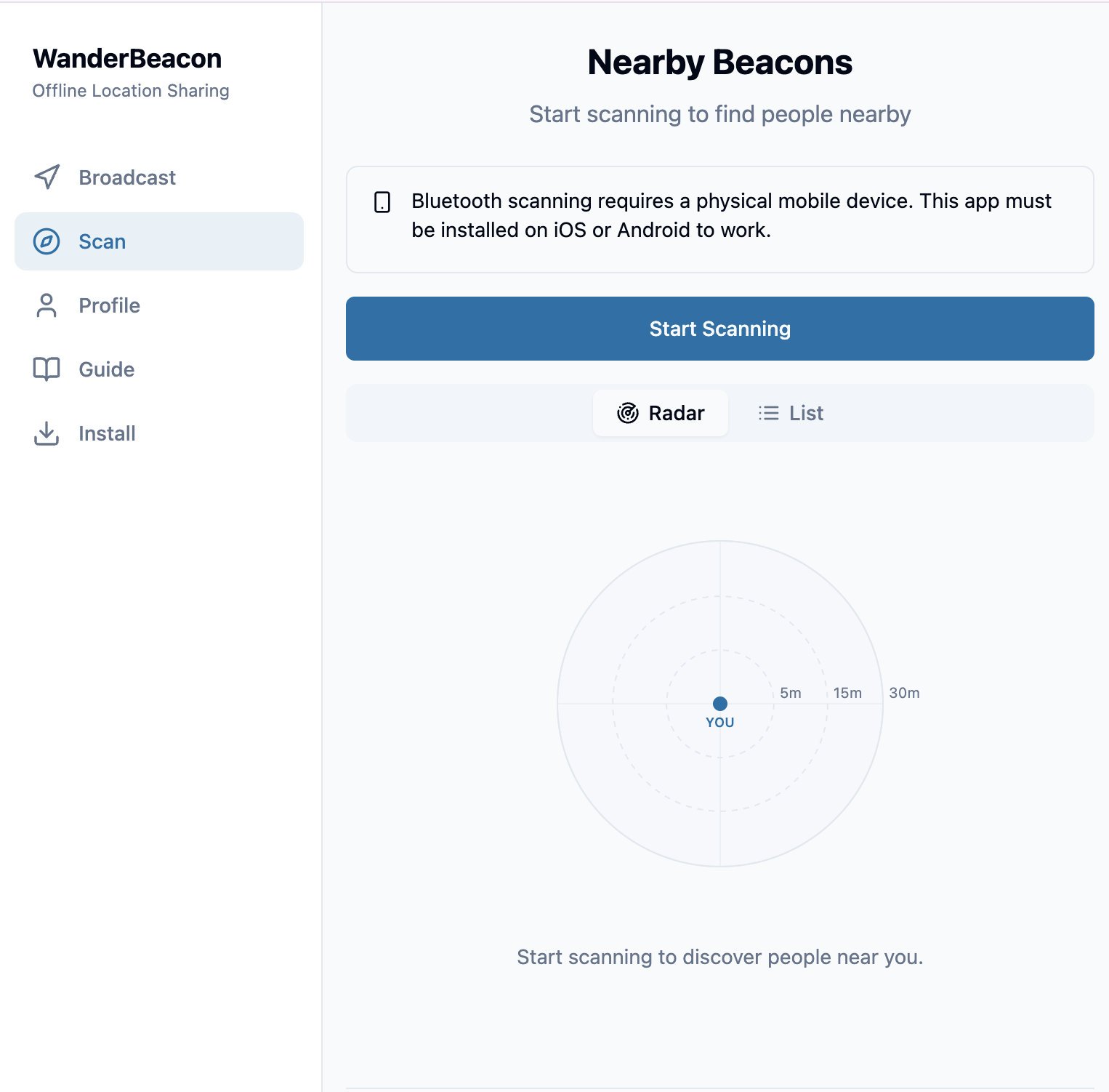
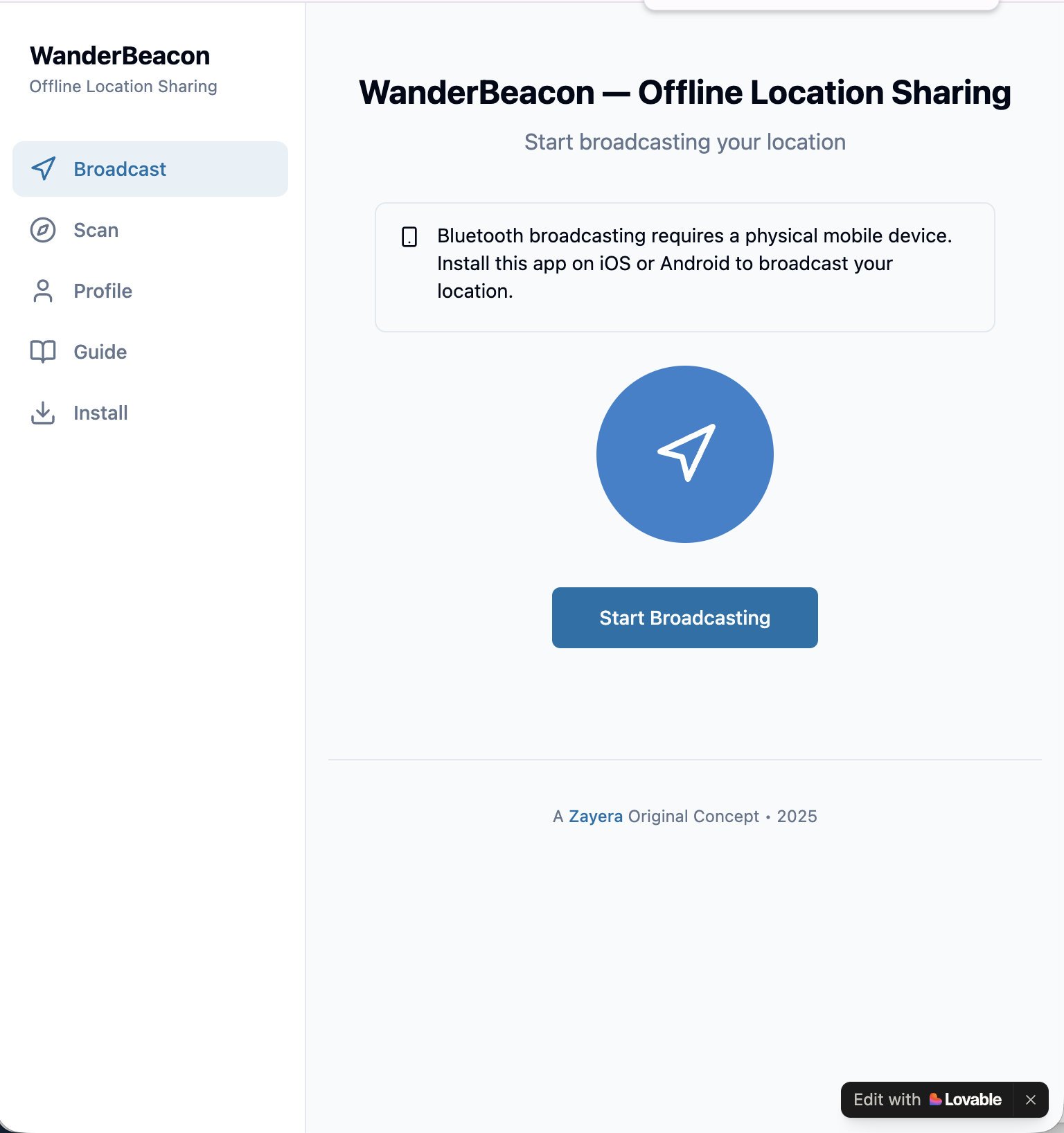
WanderBeacon shows you who is near you. It uses Bluetooth Low Energy. It needs no internet and no GPS. It is for hikers, festival visitors and groups outside the network.
Features
- Scan: a radar with rings at 5, 15 and 30 meters.
- Broadcast: share your presence with friends nearby.
- Works from phone to phone.
How to use it
- Use a real phone with Bluetooth on. A computer or a phone simulator does not work.
- Ask one person to start Broadcasting.
- Start Scanning on your phone. The radar shows who is near.
Schema Kompass: a calm self-assessment
Working version · ongoing concept development and refinement
This app is in Swedish only.
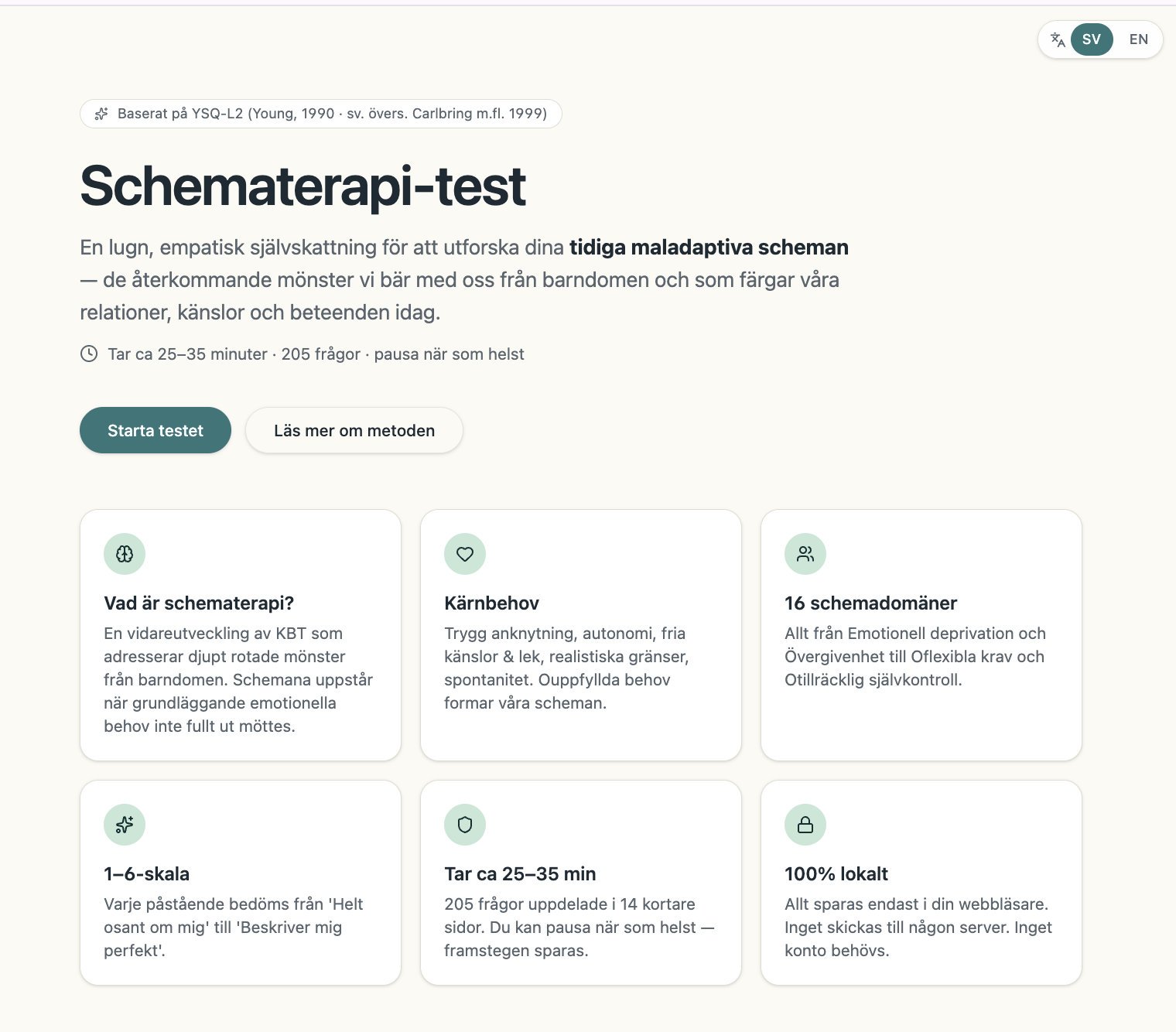
Schema Kompass is a self-assessment based on the YSQ-L2 and on schema therapy. It helps you look at your early maladaptive schemas. It is a self-assessment. It does not give a diagnosis.
Features
- 205 statements on 14 short pages. You answer on a scale from 1 to 6.
- The test takes 25 to 35 minutes. You can pause. The app saves your progress.
- Your answers stay in your browser. The app sends nothing to a server.
- You need no account.
- The app lists crisis helplines and other support.
How to use it
- Pick a quiet time and place. Plan for about 30 minutes.
- Press the start button and answer each statement.
- Read your results with care. Talk to a professional if you want to know more.
Kalkbrottsguiden: swimmable quarries in Europe
Working version · ongoing concept development and refinement
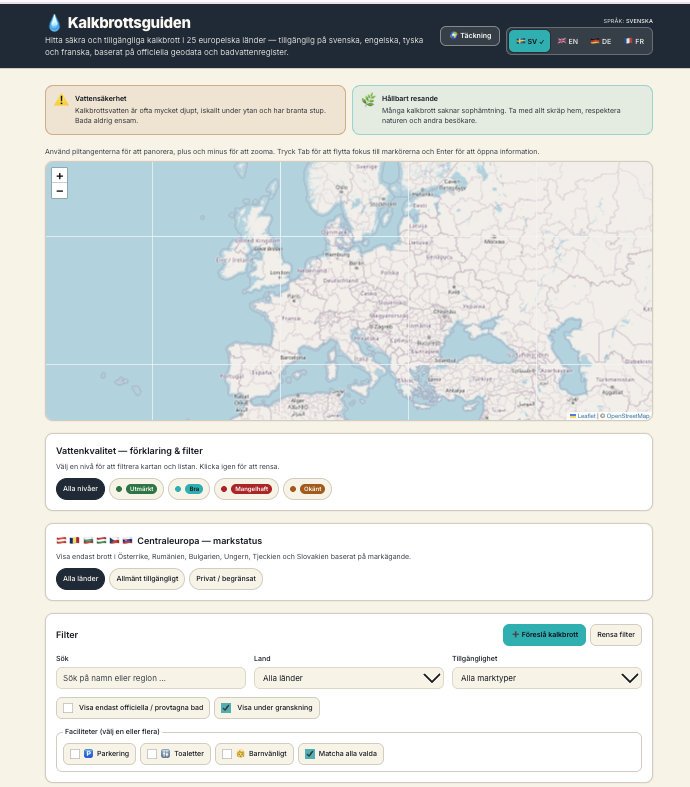
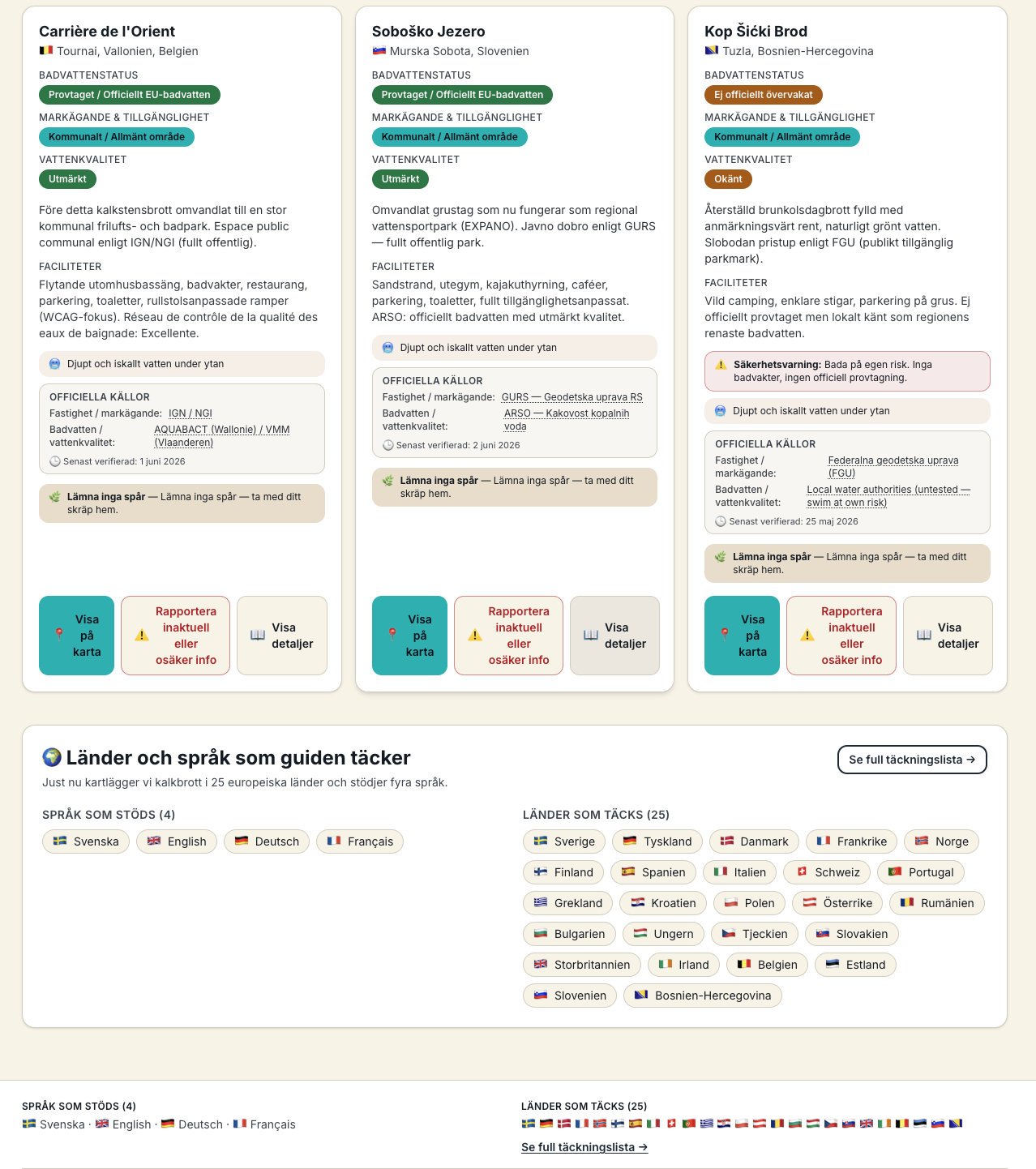
Kalkbrottsguiden is a guide to swimmable quarries in 25 European countries. It shows water quality, land ownership and Leave No Trace advice. The app has four languages: Swedish, English, German and French.
Features
- A map of Europe and a list of quarry cards.
- Filters for water quality, land status, country and facilities.
- A toggle for official bathing status.
- Each card shows bathing-water status, land ownership, water quality, facilities, safety warnings and official sources.
How to use it
- Read the safety note first. Never swim alone. Quarry water can be very deep and cold, and the edges can be steep.
- Use the filters to find a quarry that fits you.
- Open the official sources on the card and check the land status before you go.
- Take your waste home.
Made with Lovable. Prompt and concept idea by Zayera Khan.
I built these apps with Lovable. I wanted to learn how I can use AI tools to build new apps, products and services.
Each app is a working version. Each one is in ongoing concept development and refinement. You can try all of them. Pick one below.
Solsökaren: find the sun in Sweden
Working version · ongoing concept development and refinement
Solsökaren shows where the sun shines in Sweden right now. It uses cloud cover data to rank Swedish cities. It also gives sun times for 40 places.
Features
- A top five list of the sunniest cities, based on the lowest cloud cover.
- Sunrise, sunset and day length for 40 places in Sweden.
- A box that helps you plan time outdoors.
- Reports from users about sunny places.
How to use it
- Open the start screen and look at the radar list.
- Pick a city to see its sun times.
- Plan your picnic, balcony time or photo walk around the sun times.
OnTrack: a smart railway companion
Working version · ongoing concept development and refinement
OnTrack shows live train tracking, updates from passengers and passenger rights in one app. Test users use the app live.
Features
- Radar: a Swedish rail map. Colors show on time, minor delay and major delay.
- Social: passengers post reports about delays, crowding, platform changes and broken facilities.
- Passenger rights: built-in information for when your train is late.
- A dark screen design for use on a phone.
How to use it
- Open Radar to see the trains by delay level.
- Open Social to read the latest reports from passengers.
- Add your own report when you see a problem on your train.
Löftesgranskaren: check political promises
Working version · ongoing concept development and refinement
This app is in Swedish.
Löftesgranskaren is an independent open-data project. You type a policy question or a political claim. The app shows what the parties proposed, how parliament voted and what the follow-up data says.
Features
- 19 issues, such as healthcare waiting times and school funding.
- Three views for each issue: party proposals, votes and results.
- Every figure comes with a source. The app does not calculate cause and effect.
- Data from Riksdagens öppna data, Riksrevisionen and Kolada.
- A page to check a claim of up to 600 characters. Three example claims help you start.
How to use it
- Search for an issue, or pick one from the list.
- Read the promise, the votes and the result. Open the sources.
- Use the claim page when you want to check a statement you heard.
Questions or feedback? Write to zayera@proton.me.
Mjuk Landning: fall prevention and home safety
Working version · ongoing concept development and refinement
This app is in Swedish. It also has an English option.
Mjuk Landning helps you train balance and learn fall techniques. It also helps you check how safe your home is. The app is for all ages.
Features
- A home safety index from 0 to 100, with advice.
- A daily balance check-in: steady, okay or dizzy.
- A two-minute exercise each day, and a count of training days in a row.
- A training page for seniors, with exercises such as sitting hip rotation, protective pivot and chair stand.
- A “Trygghetsvän” (safety friend) feature.
- Offline training and a high contrast mode.
How to use it
- Do the balance check-in each day on the home screen.
- Do the daily exercise. Always exercise on a soft floor.
- Check your home and read the advice to raise your safety index.
WanderBeacon: share your location without internet
Working version · ongoing concept development and refinement
WanderBeacon shows you who is near you. It uses Bluetooth Low Energy. It needs no internet and no GPS. It is for hikers, festival visitors and groups outside the network.
Features
- Scan: a radar with rings at 5, 15 and 30 meters.
- Broadcast: share your presence with friends nearby.
- Works from phone to phone.
How to use it
- Use a real phone with Bluetooth on. A computer or a phone simulator does not work.
- Ask one person to start Broadcasting.
- Start Scanning on your phone. The radar shows who is near.
Schema Kompass: a calm self-assessment
Working version · ongoing concept development and refinement
This app is in Swedish only.
Schema Kompass is a self-assessment based on the YSQ-L2 and on schema therapy. It helps you look at your early maladaptive schemas. It is a self-assessment. It does not give a diagnosis.
Features
- 205 statements on 14 short pages. You answer on a scale from 1 to 6.
- The test takes 25 to 35 minutes. You can pause. The app saves your progress.
- Your answers stay in your browser. The app sends nothing to a server.
- You need no account.
- The app lists crisis helplines and other support.
How to use it
- Pick a quiet time and place. Plan for about 30 minutes.
- Press the start button and answer each statement.
- Read your results with care. Talk to a professional if you want to know more.
Kalkbrottsguiden: swimmable quarries in Europe
Working version · ongoing concept development and refinement
Kalkbrottsguiden is a guide to swimmable quarries in 25 European countries. It shows water quality, land ownership and Leave No Trace advice. The app has four languages: Swedish, English, German and French.
Features
- A map of Europe and a list of quarry cards.
- Filters for water quality, land status, country and facilities.
- A toggle for official bathing status.
- Each card shows bathing-water status, land ownership, water quality, facilities, safety warnings and official sources.
How to use it
- Read the safety note first. Never swim alone. Quarry water can be very deep and cold, and the edges can be steep.
- Use the filters to find a quarry that fits you.
- Open the official sources on the card and check the land status before you go.
- Take your waste home.
Made with Lovable. Prompt and concept idea by Zayera Khan.